Listen to Windsor’s Country online at the bottom of this page!
On your Smart Speaker, just ask Google/Alexa to play “Windsor’s Country” or “Windsor’s Country 95 point 9.”
PLUS… take us everywhere you go!
Download the free iHeartRadio app from your device store and access Blackburn Media Inc. anytime, anywhere. Browse playlists for every mood, build your own, and enjoy the top podcasts. With radio, music, and podcasts all in one place, iHeartRadio makes it easy to listen to what you love. This intuitive and free app ensures you’re always connected to your favorite shows, music, and more – download now and start listening! Search “Windsor 95.9” to find Windsor’s Country and the Greatest Variety of Country ANYWHERE on the app!
OR….
Start streaming Windsor’s BIG Country HERE

HOW TO LISTEN
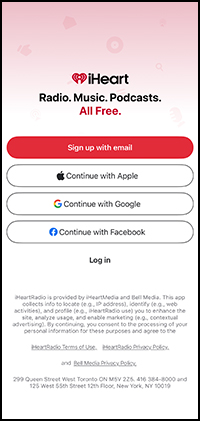
Step 1: Launch and Login
Open the iHeartRadio app and log in to your account.
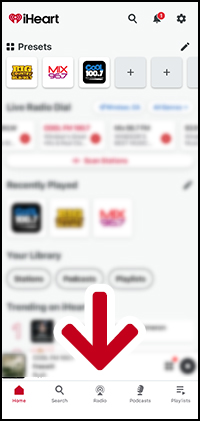
Step 2: Access Radio Stations
Tap the “Radio” section in the bottom menu.
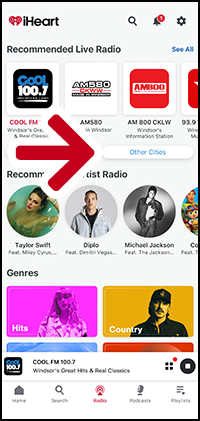
Step 3: Choose Your Location
Select “Other Cities” and find your location.
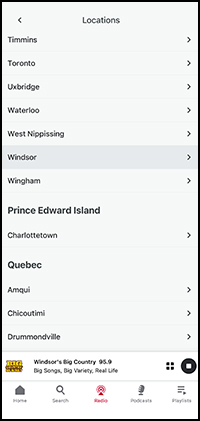
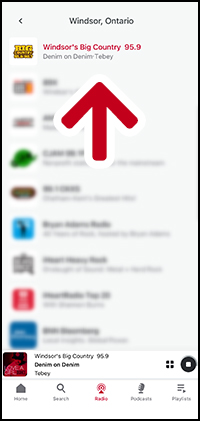
Step 4: Select Your Station
Choose your favorite local radio station to start listening.
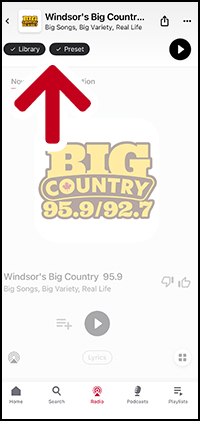
Step 5: Save to Favorites
Tap “+Library” and/or “+Preset” to add the station to your favorites for easy access.
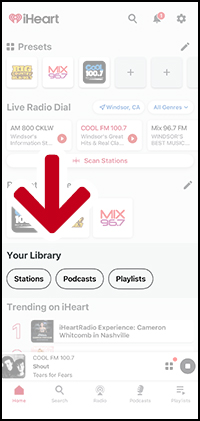
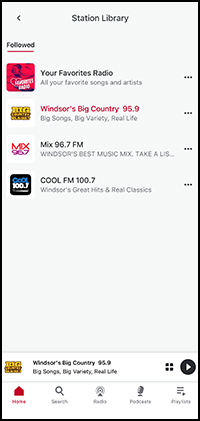
Step 6: Access Saved Stations
Find your library and recently played stations on the home screen via ‘Recently Played’
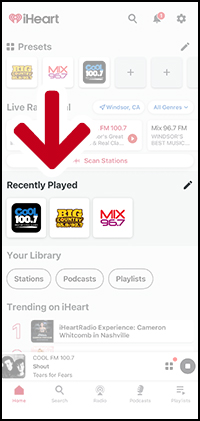
Or through ‘Your Library’
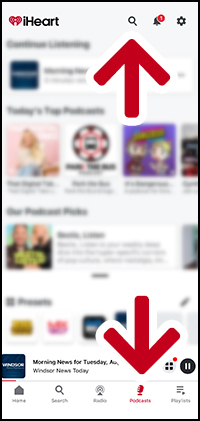
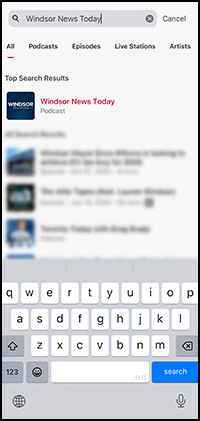
Discover Podcasts and News
Search for and listen to your favourite podcasts and news channels.
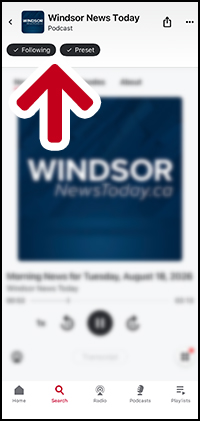
Save to Favorites
Tap “+Follow” and/or “+Preset” to add the station to your favorites for easy access.